1. Overview
CKCloud provides x402 paywall-based authentication for LLM access. Main endpoints:
- Management and query APIs:
/v1/* - Model invocation endpoint:
/x402/v1/chat/completions
Core Flow
- The client calls an x402-protected LLM endpoint.
- If a valid payment signature is included and balance is sufficient, the backend validates and forwards to the upstream model API.
- If payment is missing or balance is insufficient, the backend returns a paywall/payment requirement.
- The client completes payment signing and retries the request.
2. OpenClaw Installation and Usage
2.1 Install
Run on the machine where OpenClaw will be installed:
curl -fsSL https://pkg.ckcloudai.com/update.sh | bashAfter installation, a wallet address is generated (or reused from cache):
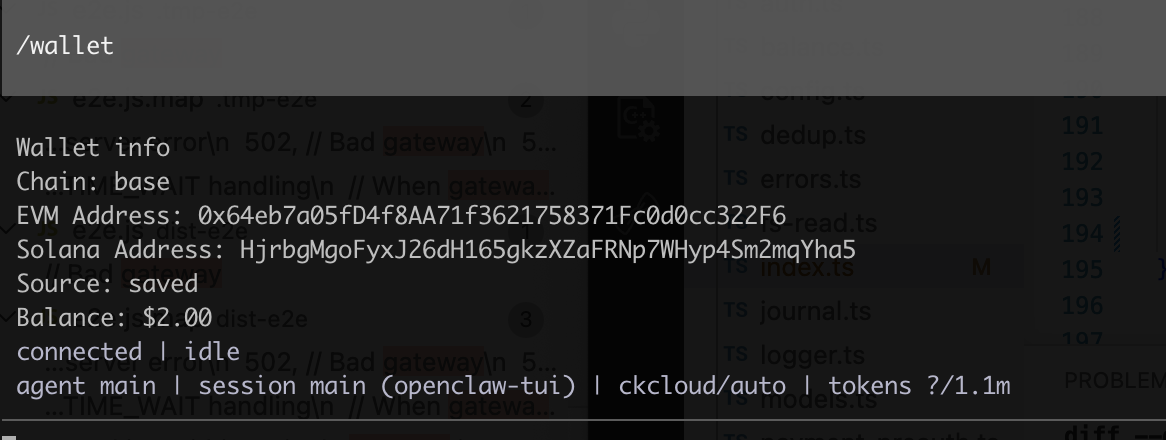
- Solana wallet:
HjrbgMg*********************************2mqYha5 - Base wallet:
0x64eb7a0**********************0cc322F6
2.2 Start / Restart
openclaw gateway restart2.3 Top Up
Transfer funds to the generated wallet address, then you can use OpenClaw directly.
2.4 Check Status and Wallet
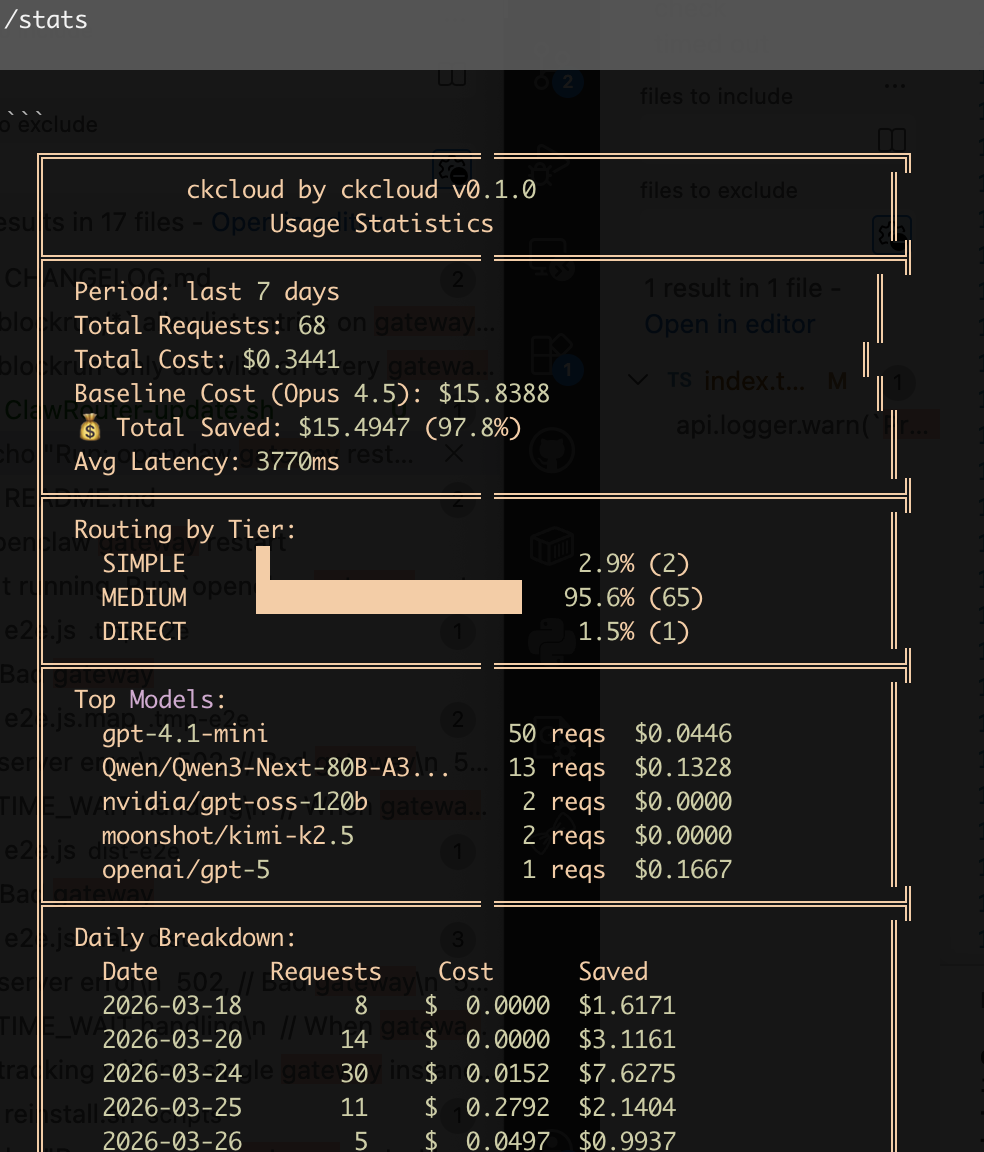
/stats
/wallet/stats to avoid OpenClaw auto-rewriting it to /status./stats — Usage Statistics
/wallet — Wallet Info
2.5 Uninstall and Reinstall
Uninstall:
bash ~/.openclaw/extensions/ckcloud/scripts/uninstall.shReinstall:
curl -fsSL https://pkg.ckcloudai.com/reinstall.sh | bash3. x402 Authentication and Payment Flow
Endpoint: POST /x402/v1/chat/completions
3.1 Request Requirements
Headers:
Content-Type: application/jsonPAYMENT-SIGNATURE(optional): Base64-encoded x402PaymentPayload
Body (OpenAI-compatible):
{
  "model": "google/gemma-3n-E4B-it",
  "messages": [
    {"role": "user", "content": "Hello"}
  ]
}
3.2 Server Behavior
With PAYMENT-SIGNATURE
- Decode and parse payload
- Verify signature (EVM EIP-712 / Solana ed25519 supported)
- Get or create user and check balance
- Forward to upstream model API if balance is sufficient
Without PAYMENT-SIGNATURE
Return paywall/payment requirement directly.
3.3 Key Response Headers
PAYMENT-REQUIREDPAYMENT-RESPONSE
Clients should use these headers to complete payment and retry.
3.4 Recommended Request Flow
Step 1: First request (without signature)
curl "http://localhost:8080/x402/v1/chat/completions" \
  -H "Content-Type: application/json" \
-d '{"model":"google/gemma-3n-E4B-it","messages":[{"role":"user","content":"Hello"}]}'PAYMENT-REQUIRED.Step 2: Retry with signature after payment
curl "http://localhost:8080/x402/v1/chat/completions" \
  -H "Content-Type: application/json" \
  -H "PAYMENT-SIGNATURE: <base64-payment-payload>" \
-d '{"model":"google/gemma-3n-E4B-it","messages":[{"role":"user","content":"Hello"}]}'4. API Reference
Base URL depends on deployment: http://<host>:<port>. Responses are generally application/json.
4.1 Get Balance
/v1/balance| Parameter | Required | Description |
|---|---|---|
Pubkey | Required | Your public key |
curl -G "http://localhost:8080/v1/balance" \
  --data-urlencode "Pubkey=YourPublicKey"
{"balance": 12.345678}4.2 Get Consumption History
/v1/consume-history| Parameter | Required | Description |
|---|---|---|
Pubkey | Required | Your public key |
Model | Optional | Filter by model |
Page / Limit / Offset | Optional | Pagination |
Start / End | Optional | Time range (ISO 8601) |
curl -G "http://localhost:8080/v1/consume-history" \
  --data-urlencode "Pubkey=YourPublicKey" \
  --data-urlencode "Page=1" \
  --data-urlencode "Limit=20"
4.3 Get Payment History
/v1/payment-history| Parameter | Required | Description |
|---|---|---|
Pubkey | Required | Your public key |
Chain | Optional | e.g. eip155:1 |
Page / Limit / Offset | Optional | Pagination |
curl -G "http://localhost:8080/v1/payment-history" \
  --data-urlencode "Pubkey=YourPublicKey" \
  --data-urlencode "Chain=eip155:1"
4.4 Get Available Models
/v1/modelscurl "http://localhost:8080/v1/models"// Response fields: model, displayName, provider, modelType,
// contextLength, inputPrice, outputPrice, supportFunction4.5 Model Call with x402 Auth
/x402/v1/chat/completionscurl "http://localhost:8080/x402/v1/chat/completions" \
-H "Content-Type: application/json" \
-H "PAYMENT-SIGNATURE: <base64-payment-payload>" \
-d '{"model":"google/gemma-3n-E4B-it","messages":[{"role":"user","content":"Hello"}]}'5. Error Codes and Troubleshooting
5.1 Common x402 Errors
X402 PAYMENT-SIGNATURE decoded error
Signature header is not valid Base64
X402 PAYMENT-SIGNATURE unmarshal error
Decoded payload is not valid JSON structure
X402 PAYMENT-SIGNATURE verify error
Signature verification failed (chain type/signature/address mismatch)
X402 PAYMENT user get or create error
User retrieval/creation failed
X402 Settlement Response pay error
Settlement process failed
5.2 Common /v1 Errors
user pubkey not found
Check whether Pubkey is provided
get user error
Backend user query failed
get consume history error
get total consume count error
get payment history error
get total payment count error
5.3 Troubleshooting Checklist
- Call
/v1/modelsto confirm model availability. - Call
/v1/balanceto verify account balance. - If
/x402/...returns paywall, verify client-side handling ofPAYMENT-REQUIRED. - If signature request still fails, verify Base64 validity, chain type, and wallet/signature match.
- Use
/v1/consume-historyand/v1/payment-historyfor detailed records.